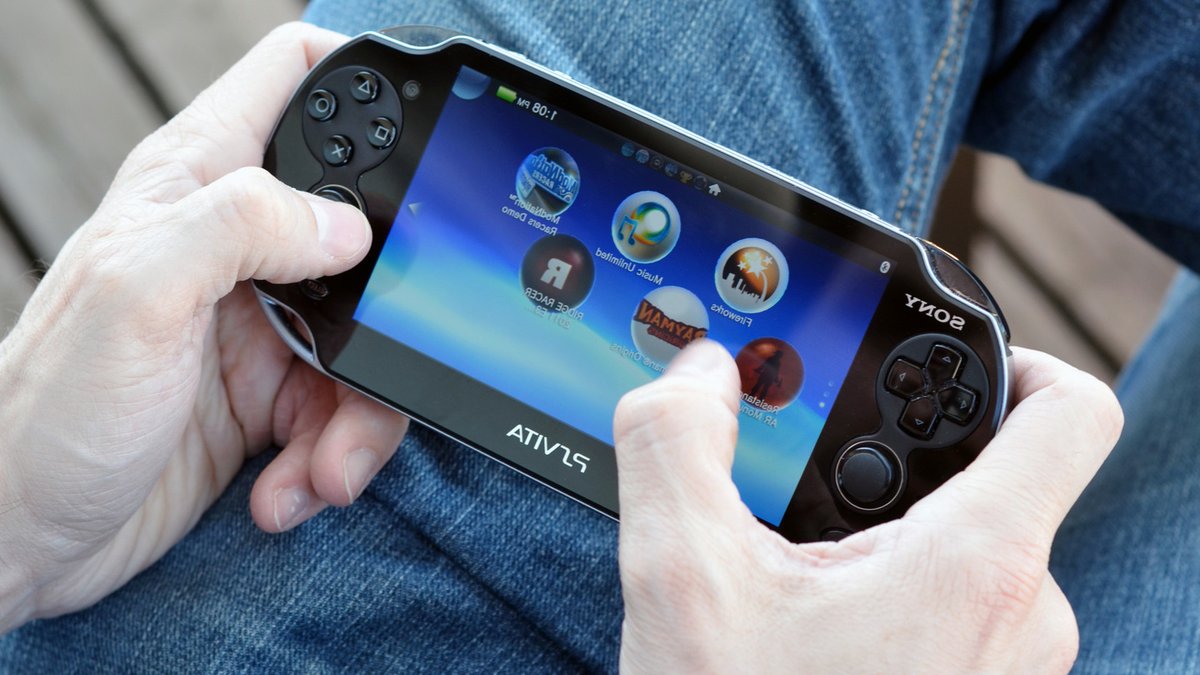
The PlayStation Vita was Sony’s last stab at a truly portable game console — the PlayStation Portal (which is worth buying) doesn’t count since you need an internet connection to play. Sony might be phasing out Vita support, but modders are keeping it alive thanks to mods and hacks, and you can now use them to play Xbox titles on the Vita. Add that to the list of clever uses for your old PS Vita. Recently, a modding team by the name of Day-OS published a homebrew app for the PS Vita called GreenVita.
Add that to the list of clever uses for your old PS Vita. Recently, a modding team by the name of Day-OS published a homebrew app for the PS Vita called GreenVita.
How GreenVita Works
This program connects to Xbox Cloud Gaming and streams titles directly onto the Vita. Unlike similar apps, which run games off local hardware via emulation, GreenVita runs the streaming program on the handheld, so while users have to deal with a bit of lag, they don’t have to worry about the pesky legal hurdles that come with emulation.
GreenVita relies on Xbox Cloud Gaming, so you need an appropriate Xbox Game Pass subscription and a stable internet connection. You will be limited to whatever games Microsoft provides for its cloud gaming service.
Installing GreenVita
Since GreenVita is a homebrew app that adds a streaming service that was never intended to run on a PlayStation Vita, you can’t use any old Vita; you need one that has been modified with HENkaku and VitaShell. These programs jailbreak the handheld and share the same risks that come with jailbreaking old devices.
To install HENkaku and VitaShell, use the handheld’s web browser to connect to http://jailbreak.psp2.dev/. On the website, select “Unlock my Vita,” followed by “Unlock.” Select “Install henkaku,” let the process finish, then “Install VitaDeploy.”
Once VitaDeploy is done, select “Exit.” Before you can actually install GreenVita, open the Vita’s Settings menu, open “HENkaku settings,” and toggle “Enable Unsafe Homebrew.”
Getting Started with GreenVita
If you did everything correctly, you can finally install GreenVita. Simply open the VitaDB Downloader app, select “GreenVita,” and the downloader will take care of everything else. Once you’re done, open the GreenVita app and follow the on-screen instructions to link the program to your Xbox account.
Related: Why OnePlus R Series Phones Are Budget Friendly
GreenVita is supposed to let you natively run Xbox Cloud Gaming on your Vita, but getting it set up is not straightforward. Like with all homebrew apps, compatibility is never guaranteed, and you need to take precautionary steps to ensure GreenVita will work after installation.
Make sure you have a sizable microSD card and a microSD PSV Adapter — 512GB or more should do it. More importantly, GreenVita doesn’t currently work with the latest firmware version.
Firmware updates are a one-way path, but the VitaDeploy app can install older firmware versions via the “Install a different OS” option. The program lets you quickly overwrite your current firmware with version 3.65, but you might have to tinker around with the program to get the right OS.
Once you find one that works, open the Vita’s Settings app, open “System,” then “Auto-Start Settings,” and untoggle “Download Update File for System Software.” This prevents accidental undoing of your hard work.
Modding your Vita is not without risks, however. Jailbreaking can potentially brick your device, and installing homebrew apps can lead to system instability.
Despite these risks, many users find the benefits of modding their Vita to be worth it. The ability to play Xbox games is a major draw, and the community surrounding the Vita is still active.
For those looking to wait for their next phone upgrade, modding their Vita can be a way to breathe new life into an old device.


Leave a Reply